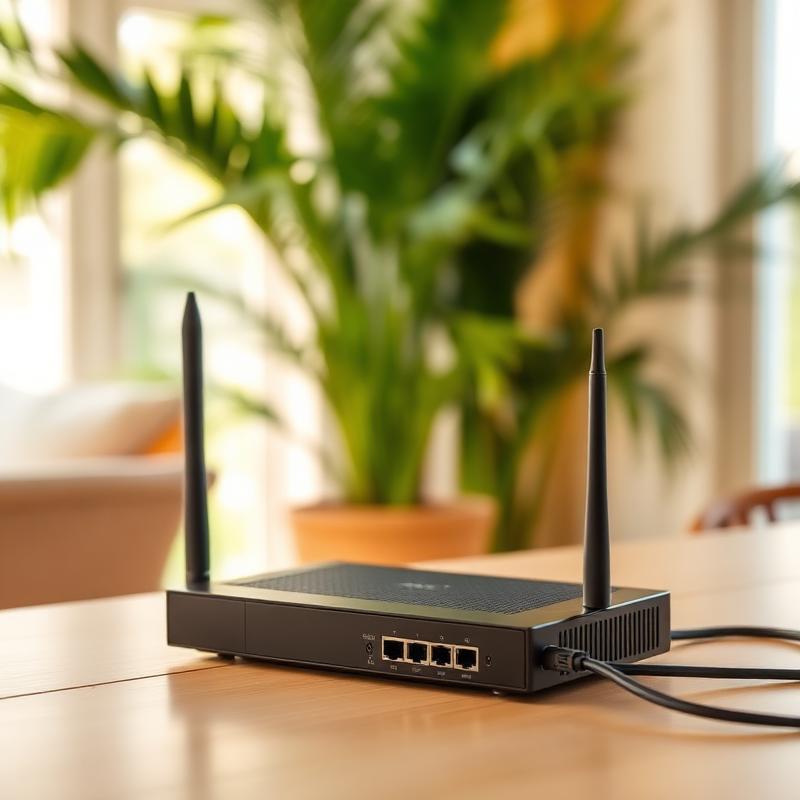
You're on a video call with the grandkids and the picture freezes. Netflix buffers in the bedroom but works fine in the living room. The lanai, where you'd actually like to sit with your tablet, gets no signal at all.
Slow or unreliable Wi-Fi is one of the most common complaints we hear, and the frustrating part is that it's rarely one big problem. It's usually a few small ones stacked together. Here's how to fix slow wifi at home, starting with the easy stuff and working up.
First: Is It Your Internet or Your Wi-Fi?
These are two different things, and it helps to know which one you're fighting. Your internet is the connection coming into your house from your provider. Your Wi-Fi is the wireless signal your router sends around the house. A slow internet plan will be slow everywhere. A Wi-Fi problem will be fine near the router and bad in certain rooms.
Here's how to tell
- Go to a speed test website (searching "speed test" will bring one up) and run it on a laptop or phone standing right next to the router.
- Now run it again in the room where things go wrong.
- If both are slow, the problem is your internet plan or the connection itself. Call your provider.
- If the first is fine and the second is bad, it's a Wi-Fi problem. Keep reading.
Fix 1: Restart the Router the Right Way
Yes, it's the cliché, and yes, it works surprisingly often. Routers are small computers that run for months without a break, and they get confused. Unplug the router and the modem (the box from your internet provider, if it's separate), wait a full thirty seconds, plug the modem in first, wait for its lights to settle, then plug in the router. If this fixes things for a week and then it gets bad again, the router may be on its way out.
Fix 2: Move the Router
Where the router sits matters more than almost anything else. A router in a closet, behind the TV, on the floor, or tucked in a corner of the house is fighting an uphill battle. Wi-Fi spreads outward and downward, so the ideal spot is high up, out in the open, and as close to the middle of the house as you can manage.
This is a big deal in Hawaii. A lot of homes here are built with concrete block, lava rock, or metal roofing, and all of those block Wi-Fi better than the drywall in mainland houses. A single-story home spread out across a lot can put the far bedrooms well beyond the signal's reach. Moving the router even ten feet toward the center of the house can change everything.
Fix 3: Pick the Right Band
Most routers broadcast two networks: one called 2.4 GHz and one called 5 GHz. You may see them listed separately, often with "2.4" or "5G" in the name. The 2.4 network reaches farther but is slower and more crowded. The 5 network is much faster but doesn't go through walls as well.
For devices near the router, connect to the 5 GHz network. For the far end of the house, 2.4 may hold a steadier connection. If your router combines them into one name, it's choosing for you, and that's usually fine.
Fix 4: Update the Router's Firmware
Firmware is the software that runs inside the router, and manufacturers fix bugs and speed problems through updates. Most newer routers update themselves. Older ones need you to log into the router's settings page and check. The address and password are usually on a sticker on the router. If that sounds like more than you want to do, it's a five-minute job for someone who does it regularly.
Fix 5: Count Your Devices
Phones, tablets, laptops, TVs, streaming sticks, a doorbell camera, a smart speaker, the grandkids' game console. Everything on the network shares the same connection, and some things (like a TV streaming in 4K or a computer downloading updates) take a large slice. If Wi-Fi gets slow in the evening when everyone's home, that's why. A newer router handles this far better than one from five or more years ago.
Fix 6: Look Hard at the Router Your Provider Gave You
The router that came from your internet company is often the weakest link in the house. They're built to be inexpensive, and many are several years old. If yours is more than four or five years old, replacing it with a good-quality router of your own is often the single biggest improvement you can make, and the difference in reliability is immediate.
Fix 7: When You Need a Mesh System
If you've done all of the above and the far bedroom or the lanai still gets nothing, the house is simply bigger or more solid than one router can cover. That's what a mesh system is for. Instead of one router, you place two or three small units around the house, and they work together as a single network. You walk from room to room and your phone hands off between them without you noticing.
Mesh systems have gotten much easier to set up and are the right answer for a lot of Big Island homes. A cheaper cousin called a Wi-Fi extender can help in a pinch, but extenders tend to cut speed in half and create a second network name you have to switch between. If you're going to spend the money, mesh is the better buy.
When to Call a Professional
Some Wi-Fi problems are a settings tweak. Others are a network design problem, and those are worth handing off. If you've tried the fixes above and it's still bad, if you're not sure what equipment you actually have, if you'd like a mesh system placed and set up properly, or if you run a home office and need the connection to be reliable rather than mostly fine, that's a good time to bring someone in.
Grace Computer Systems has set up home networks across Hilo, HPP, Puna, and Pahoa for over thirty years, and we know what these houses do to a Wi-Fi signal. Call or email us and we'll get your whole house connected, lanai included.
Frequently Asked Questions
01How fast should my Wi-Fi be?
02Why does my Wi-Fi drop at the same time every day?
03Do I need a new router?
04Will a mesh system work in a concrete or lava rock house?
Still fighting your Wi-Fi?
We'll survey the house, place the equipment where it actually works, and get the far rooms and the lanai covered. Thirty years of Big Island homes behind every setup.